
Introduction
The rise of artificial intelligence has transformed how businesses operate, but many organizations struggle with the technical complexity of building AI solutions. Microsoft Copilot Studio emerges as a game-changing platform that democratizes AI development, enabling professionals without programming expertise to create sophisticated AI assistants.
This comprehensive guide explores how Microsoft Copilot Studio empowers teams across industries to build, customize, and deploy intelligent virtual assistants that enhance productivity and streamline workflows. Whether you’re in customer service, IT support, or business operations, understanding this platform unlocks new possibilities for automation and efficiency.
What Is Microsoft Copilot Studio?
Microsoft Copilot Studio represents a low-code development environment specifically designed for creating conversational AI experiences. Built on the foundation of Microsoft’s Power Platform, this tool provides an intuitive visual interface where users can design, test, and deploy AI-powered chatbots and virtual assistants without writing a single line of code.
The platform integrates seamlessly with Microsoft 365 applications, leveraging the power of large language models to understand natural language queries and provide intelligent responses. What sets Microsoft Copilot Studio apart is its accessibility—it transforms AI assistant development from an exclusive domain of software engineers into a capability available to business analysts, customer service managers, and other non-technical professionals.
At its core, Microsoft Copilot Studio enables organizations to extend Microsoft Copilot’s capabilities with custom plugins, create standalone conversational agents, and automate repetitive tasks that previously required human intervention. The platform bridges the gap between enterprise AI ambitions and practical implementation.
Key Features of Microsoft Copilot Studio
Visual Bot Builder
The drag-and-drop interface allows users to construct conversation flows using pre-built templates and components. This visual approach eliminates coding requirements while maintaining flexibility for complex scenarios. Users can map out entire customer journeys, decision trees, and response patterns through an intuitive graphical canvas.
AI-Powered Natural Language Understanding
Microsoft Copilot Studio harnesses advanced natural language processing to comprehend user intent and context. The platform automatically recognizes entities, extracts relevant information from queries, and adapts responses based on conversation history. This intelligence allows assistants to handle variations in phrasing and understand complex multi-turn dialogues.
Enterprise-Grade Integration
The platform connects natively with hundreds of data sources and business applications through Power Platform connectors. Organizations can link their AI assistants to SharePoint, Dynamics 365, Azure services, and third-party systems like Salesforce or ServiceNow. This connectivity enables assistants to fetch real-time data, trigger workflows, and update records across the technology stack.
Who Can Benefit from Microsoft Copilot Studio?
Microsoft Copilot Studio serves diverse professional roles across organizations. Business process owners can automate routine inquiries that consume valuable staff time. Customer service teams build self-service portals where customers resolve issues independently, reducing support ticket volume and improving satisfaction scores.
IT departments leverage the platform to create internal help desk assistants that handle password resets, software access requests, and common troubleshooting scenarios. Human resources teams deploy onboarding bots that guide new employees through paperwork, benefits enrollment, and company policies. Marketing professionals develop lead qualification assistants that engage website visitors and collect prospect information.
The platform particularly benefits organizations seeking digital transformation without massive development budgets. Small and medium businesses gain access to enterprise-level AI capabilities, while large corporations empower individual departments to solve their specific challenges through tailored assistants.
Getting Started: Building Your First AI Assistant
Creating an AI assistant in Microsoft Copilot Studio begins with defining your use case and identifying the specific problem your bot will solve. Clear objectives guide the design process and ensure your assistant delivers measurable value.
After accessing the platform through your Microsoft 365 account, you select from pre-built templates or start with a blank canvas. Templates provide industry-specific starting points for scenarios like appointment scheduling, FAQ handling, or employee onboarding. Each template includes pre-configured conversation flows that you customize to match your requirements.
The authoring experience guides you through defining topics—the specific subjects your assistant can discuss. You train the AI by providing sample phrases users might ask, then design how your assistant responds. The platform’s testing environment allows real-time interaction with your creation, enabling immediate refinement before deployment.
Customization Without Complexity
Topic Configuration
Topics represent individual conversation threads your assistant handles. Microsoft Copilot Studio allows you to create topics for frequently asked questions, specific business processes, or informational requests. Each topic includes trigger phrases that activate it, conversation nodes that define the dialogue flow, and conditions that determine branching logic based on user responses.
Entity Recognition
The platform automatically identifies and extracts key information from user messages, such as dates, numbers, email addresses, and custom business entities. You define which entities matter for your use case, and Microsoft Copilot Studio captures these values to personalize responses or pass to backend systems. This capability enables sophisticated data collection without form-based approaches.
Response Variations
Creating natural conversations requires variation in responses. The platform supports multiple response options for single prompts, adaptive cards for rich formatting, and dynamic content insertion from connected data sources. Users can incorporate images, videos, quick reply buttons, and hero cards to enhance engagement and clarity.
Advanced Capabilities for Power Users
While Microsoft Copilot Studio excels at no-code development, it also accommodates users seeking advanced functionality. Power Automate integration enables complex workflow automation triggered by bot conversations. When a user requests a service through your assistant, Power Automate can orchestrate multi-step processes across multiple systems, from creating tickets to sending notifications and updating databases.
The platform supports custom code extensions through Power Fx expressions and Azure Bot Framework skills. Organizations with development resources can enhance their assistants with custom authentication, external API calls, or specialized processing logic while maintaining the low-code foundation for most functionality.
Analytics capabilities provide insight into assistant performance, conversation patterns, and user satisfaction. Built-in dashboards track metrics like resolution rates, escalation frequency, and topic popularity, enabling continuous improvement based on real usage data.
Real-World Use Cases
Organizations across industries deploy Microsoft Copilot Studio solutions for tangible business impact. Retail companies create virtual shopping assistants that help customers find products, check inventory, and track orders. Healthcare providers build appointment scheduling bots that reduce administrative burden while improving patient access.
Financial services firms use the platform for account inquiries and transaction support, maintaining security through integration with identity systems and compliance frameworks. Manufacturing operations deploy maintenance request assistants that technicians access from mobile devices, streamlining equipment issue reporting and work order creation.
Educational institutions leverage Microsoft Copilot Studio for student support, providing instant answers about enrollment, course schedules, and campus services. The common thread across these applications is solving specific organizational challenges through conversational interfaces that meet users where they work.
Security and Compliance Considerations
Microsoft Copilot Studio inherits the enterprise security and compliance capabilities of the Microsoft Cloud. Data residency options ensure information stays within required geographic boundaries. The platform supports role-based access control, allowing organizations to define who can create, modify, and publish assistants.
Authentication integration with Azure Active Directory ensures only authorized users access your assistants. Conversation data encryption protects sensitive information both in transit and at rest. Organizations subject to regulations like GDPR, HIPAA, or SOC 2 can deploy assistants while maintaining compliance through Microsoft’s certification frameworks and data handling policies.
The platform provides audit logs tracking assistant creation, modification, and usage patterns. These records support governance requirements and security investigations, offering transparency into how AI assistants operate within your environment.
Deployment and Channel Integration
Microsoft Copilot Studio assistants deploy across multiple channels without rebuilding for each platform. Organizations can publish their bots to Microsoft Teams, enabling employees to interact through familiar collaboration tools. Web channel deployment embeds assistants directly into company websites or customer portals through simple code snippets.
Mobile app integration brings conversational AI to iOS and Android applications. Social media channels like Facebook Messenger extend assistant reach to customers on their preferred platforms. The platform handles channel-specific formatting and capabilities automatically, ensuring consistent experiences regardless of where users engage.
Publishing workflows include testing environments where stakeholders validate assistant behavior before production release. Version control capabilities allow rollback to previous configurations if issues arise, minimizing risk during updates and ensuring business continuity.
Cost and Licensing Structure
Microsoft Copilot Studio pricing aligns with the broader Power Platform licensing model. Organizations typically access the platform through Microsoft 365 subscriptions or purchase standalone licenses based on usage volume. Licensing considerations include the number of sessions, messages processed, and advanced features required.
The platform offers trial periods allowing organizations to explore capabilities before committing to licenses. Cost predictability comes from session-based pricing, where a session represents a continuous conversation between a user and assistant. This model scales with actual usage rather than requiring upfront infrastructure investment.
Organizations should evaluate their expected conversation volume, required integrations, and compliance needs when selecting licensing tiers. Microsoft provides cost calculators and sizing guidance to help estimate investment based on anticipated usage patterns.
Best Practices for Success
Successful Microsoft Copilot Studio implementations begin with clearly defined objectives and success metrics. Start with focused use cases that deliver immediate value rather than attempting to solve every problem simultaneously. Pilot programs with specific departments or customer segments allow refinement based on real feedback before broader rollout.
Design conversations that feel natural and helpful rather than robotic. Use personality and tone appropriate for your brand and audience. Provide clear escalation paths to human agents when assistants reach their limits, ensuring users never feel stuck in unhelpful loops.
Continuously monitor performance metrics and user feedback to identify improvement opportunities. Regular content updates keep assistants current with changing policies, products, and processes. Governance frameworks that define ownership, update procedures, and quality standards prevent assistant proliferation and maintain consistency across your organization.
Common Challenges and Solutions
Organizations implementing Microsoft Copilot Studio often encounter challenges around scope definition and expectation management. Users may expect AI assistants to handle any possible question, leading to disappointment when capabilities fall short. Setting clear boundaries about what assistants can and cannot do prevents frustration and guides users toward successful interactions.
Integration complexity increases when connecting to legacy systems or custom applications without standard APIs. Microsoft Copilot Studio’s connector ecosystem addresses many scenarios, but custom development may be necessary for unique environments. Partnering with integration specialists or leveraging Microsoft’s professional services accelerates these implementations.
Content maintenance represents an ongoing commitment rather than a one-time project. Businesses change, and assistants must evolve accordingly. Establishing content governance processes and assigning dedicated owners ensures assistants remain accurate and valuable over time.
The Future of No-Code AI Development
Microsoft Copilot Studio represents the broader democratization of AI capabilities happening across the technology industry. As large language models become more sophisticated and accessible, the gap between concept and implementation narrows dramatically. What once required specialized AI expertise now becomes achievable for domain experts who understand their business challenges.
The platform continues evolving with enhanced generative AI capabilities, improved multilingual support, and deeper integration across the Microsoft ecosystem. Organizations investing in Microsoft Copilot Studio skills position themselves to leverage these advancements as they emerge, building institutional knowledge around conversational AI development.
The competitive advantage increasingly comes not from whether organizations adopt AI assistants, but how effectively they customize and deploy them for specific needs. Microsoft Copilot Studio provides the foundation for this competitive differentiation without requiring extensive technical resources.
Conclusion
Microsoft Copilot Studio transforms artificial intelligence from an abstract concept into a practical tool accessible to professionals across all technical skill levels. By removing coding barriers, the platform enables organizations to address specific challenges through custom AI assistants that integrate seamlessly with existing workflows and systems.
The platform’s combination of intuitive design tools, powerful AI capabilities, and enterprise-grade security makes it suitable for organizations of any size. Whether automating customer service, streamlining internal processes, or enhancing employee productivity, Microsoft Copilot Studio provides the foundation for building intelligent conversational experiences.
Success with Microsoft Copilot Studio requires thoughtful planning, clear objectives, and commitment to continuous improvement. Organizations that embrace this approach unlock significant value through reduced support costs, improved user satisfaction, and enhanced operational efficiency. As AI continues reshaping business operations, platforms like Microsoft Copilot Studio ensure that innovation remains accessible to everyone, not just those with programming expertise.
See Also
-
From Idea to Publication: How AI Simplifies eBook Creation
-
Generative AI and the New Era of Work: Are You Ready?
-
Boost Your Brand with Ideogram.ai: The Game-Changer in Visual Content
-

How AI-Based Personalized Learning is Transforming Education: The Future is Now
-
The Future of Blogging: AI-Driven Article Writing for WordPress Success
-
How to Easily Create a Website Chatbot that Boosts User Engagement
-

The Industrial Internet of Things (IIoT): The Backbone of Smart Factories and Industry 4.0
-
100 Chat GPT Prompts for Effective Artificial Intelligence for Educators
-
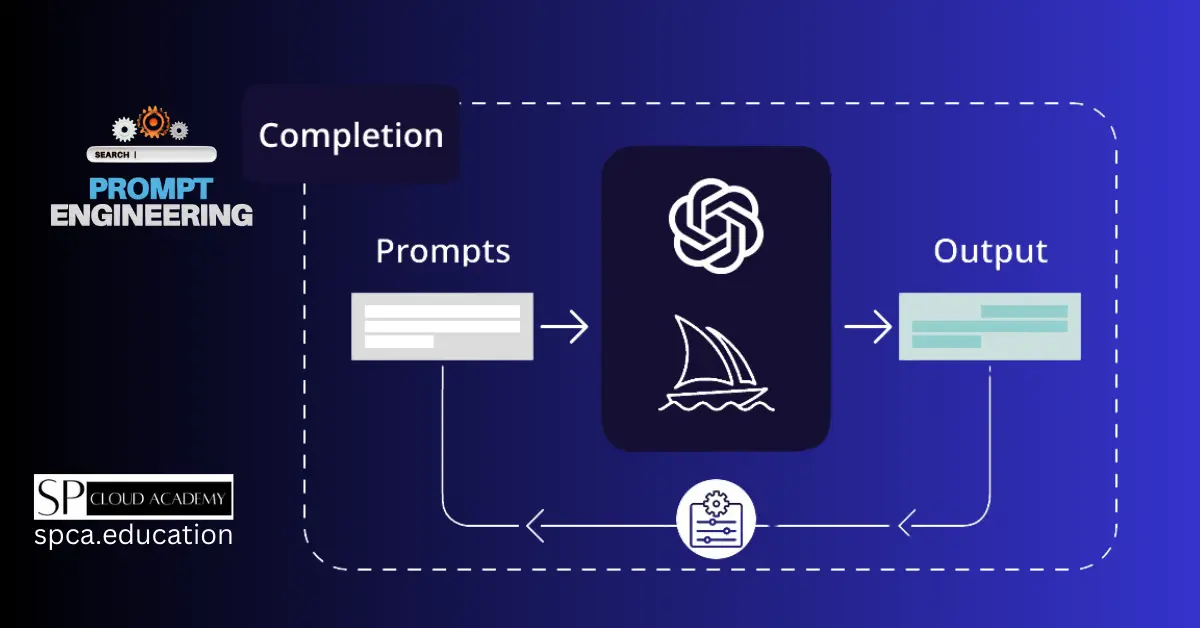
Master the Art of Prompt Engineering: Unlock ChatGPT’s Full Potential