A few years ago, a solid resume and a handful of phone calls could carry a career quite far. Today, the first thing a recruiter, a student or a possible client does after hearing your name is type it into a search bar. What they find in those first thirty seconds quietly shapes everything that follows.
That is why professional branding and networking are no longer “nice to have” skills. They are part of how people decide whether to trust you, learn from you or work with you. And the good news is that you do not need a big budget or a marketing team. You need a clear identity, useful content and the right platforms used in the right way.
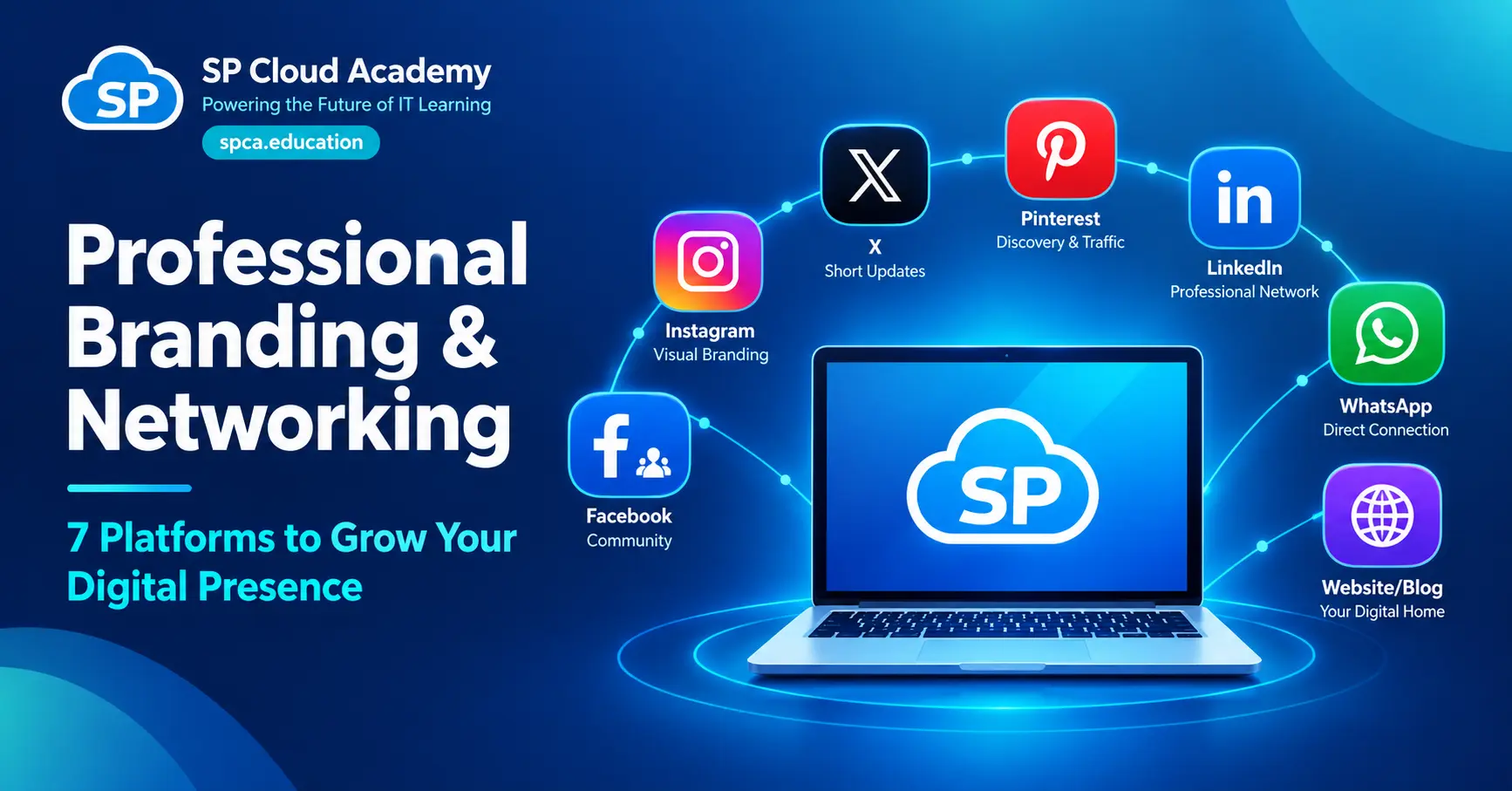
In this guide, we walk through seven platforms that work well together: Facebook, Instagram, X, Pinterest, LinkedIn, WhatsApp and your own website or blog. You will see what each one is best at, how to use it without sounding like an advertisement, and how to turn a single blog post into a full week of content. By the end, you will also have a simple weekly plan you can start using tomorrow.
Why Professional Branding and Networking Matter
Many people think branding means being visible. It does not. Visibility without substance is just noise. Professional branding is about showing your skills, knowledge, work quality and credibility so that people can recognize you, trust you and choose you in the future.
Networking is the other half of the story. If branding answers the question “Who are you?”, networking answers “Who are you connected with?” Your network includes teachers, learners, IT professionals, business owners, recruiters, potential clients and collaborators. These are the people who share your work, recommend you and open doors that a job portal never will.
The two ideas feed each other in a simple chain:
- Brand identity: you decide what you stand for and what you are known for.
- Valuable content: you share knowledge, experience and proof of work.
- Audience engagement: people read, react, ask questions and start conversations.
- Professional relationships: some of those conversations turn into real connections.
- Opportunities: jobs, projects, partnerships, speaking invitations and new learners follow.
Notice that opportunities come last, not first. That is the part people tend to skip. If you ask for opportunities before you have built trust, it feels pushy. If you build trust first, opportunities often find you.
The 7 Platforms at a Glance
No single platform does everything well. Each one has its own audience, its own habits and its own strengths. Here is a quick comparison before we go deeper.
| Platform | Main role | Best for | Typical content |
| Community building | Growing a community and steady engagement | IT tips, live sessions, blog links, group discussions | |
| Visual branding | Brand recall and quick learning | Reels, carousels, Stories, behind-the-scenes | |
| X | Thought leadership | Technical talk and industry connections | Short posts, news comments, threads |
| Visual discovery | Bringing new readers to your blog | Infographics, career roadmaps, tutorial pins | |
| Professional authority | Credibility, collaboration and careers | Case studies, articles, project showcases | |
| Direct communication | Support and long-term relationships | Updates, FAQs, quick replies, permission-based groups | |
| Website / Blog | Digital home base | Long-term identity and searchable knowledge | Guides, tutorials, comparisons, case studies |

1. Facebook: Build a Community Around Your Knowledge
In Bangladesh and across South Asia, Facebook is still part of daily life for millions of people. That makes it one of the easiest places to start a conversation with learners, parents, teachers and local professionals. Its strength is not reach alone. It is the way people gather in groups and talk to each other.
Your goal here: grow a community and increase visibility and engagement.
How to use it well
- Set up a professional page with a clear profile photo, cover image, short description and brand links.
- Share IT tips, educational posts, short videos, live sessions and links to your latest blog articles.
- Join relevant IT and learning communities, and take part before you post your own content.
- Use Messenger or WhatsApp for direct communication with people who reach out.
Pro tip: treat your page like a classroom, not a billboard. A short post that explains one idea clearly will earn more trust than ten promotional banners.
2. Instagram: Make Your Brand Easy to Recognize
Instagram is where your brand gets a face, a color palette and a style. People may not remember a paragraph you wrote, but they will remember a consistent look. For technical topics, that is a real advantage, because simple visuals make complex ideas feel approachable.
Your goal here: build a visual identity and strong brand recall.
How to use it well
- Post Reels of 30 to 60 seconds with one practical IT tip each.
- Use carousels to explain topics like cloud, networking, cybersecurity and Microsoft 365 step by step.
- Keep your design, colors and fonts consistent so people recognize your posts at a glance.
- Use Stories for polls, quizzes, behind-the-scenes moments and new blog updates.
Pro tip: end every carousel with one clear next step, such as “Read the full guide on our website”. Visual platforms are great at attention, but your blog is where depth lives.
3. X: Join the Technical Conversation
X (formerly Twitter) moves quickly, and that is exactly why it works for thought leadership. Engineers, educators and tech writers share news, opinions and links there in real time. If you want to be seen as someone who follows the industry closely and thinks carefully about it, this is a good place to practice.
Your goal here: take part in technical discussions and build professional connections.
How to use it well
- Share industry trends, cloud updates and cybersecurity news, along with your own short take.
- Comment thoughtfully on experts’ posts instead of just liking them.
- Share your own experience and analysis, including lessons from mistakes.
- Join relevant discussions and conversations, not only the ones where you can promote yourself.
Pro tip: a good reply can build more visibility than a good post. Add something useful to a bigger conversation, and people will click through to your profile.
4. Pinterest: Bring New Readers to Your Blog
Pinterest is often overlooked by IT professionals, which is a pity. It works more like a visual search engine than a social network. People save pins and come back to them later, so a well-made infographic can keep sending visitors to your blog for months.
Your goal here: attract new readers through infographics and visual content.
How to use it well
- Create infographics, career roadmaps and tutorial pins that summarize a topic at a glance.
- Add your blog or tutorial link to every pin.
- Build topic-based boards, for example cloud, networking, cybersecurity and IT careers.
- Use clear titles, readable text and relevant keywords in every pin description.
Pro tip: design pins in vertical format and keep the text large enough to read on a phone. If someone has to squint, they will scroll on.
5. LinkedIn: Build Credibility and Professional Authority
If there is one platform on this list that most directly affects your career, it is LinkedIn. Recruiters, hiring managers, training partners and business owners all use it to check people out. A complete profile and regular, thoughtful posts can do a lot of quiet work for you.
Your goal here: build credibility, collaboration and career opportunities.
How to use it well
- Optimize your profile: a clear headline, an honest About section, your skills and your experience.
- Create a company or academy page, and connect it to your personal profile.
- Share case studies, technical explanations, project showcases and industry insights.
- Connect with IT leaders, recruiters, trainers and potential partners, and add a short personal note to every request.
Pro tip: write about what you actually did. “How we fixed a slow office network in two days” will always beat a generic post about “the importance of networking”. Specific stories feel human and are easy to remember.
6. WhatsApp: Keep Relationships Personal
WhatsApp is different from the rest of the list. It is not built for broadcasting to strangers. It is built for conversations with people who already know you or have asked to hear from you. That makes it powerful for support, follow-ups and long-term relationships, and easy to misuse if you are careless.
Your goal here: offer quick support and build long-term relationships.
How to use it well
- Use WhatsApp Business with a proper brand profile, services, business hours and catalogue.
- Set up an FAQ, quick replies and labels so you can answer faster without sounding robotic.
- Share updates and information about new courses, but only with people who have given permission.
- Keep data private and avoid unwanted promotions or mass forwarding.
Pro tip: never add people to groups without asking first. Respect is the foundation of a good professional network, and one unwanted message can undo months of goodwill.
7. Website and Blog: Your Digital Home Base
Social platforms are rented space. Algorithms change, accounts get restricted and trends fade. Your website is the one place you fully own. It is where your long-term identity, your knowledge and your digital assets live, and it is the platform that supports all the others.
Your goal here: build a long-term identity, a knowledge hub and lasting digital assets.
How to use it well
- Include the essentials: About, Services, Courses, Blog, Contact and a Privacy Policy.
- Publish in-depth tutorials, how-to guides, comparisons and case studies.
- Focus on SEO, speed, mobile responsiveness, security and analytics.
- Drive traffic from social media to your blog, and convert readers into learners or consultations.
Pro tip: write each article to answer one real question your audience asks. Search engines reward helpful, original content, and readers do too. That is where SEO and branding meet.
Integrated Branding Strategy: One Blog, Seven Formats
Here is where many people get stuck. Seven platforms sound like seven jobs. They do not have to be. The trick is to create one strong piece of content, your blog article, and then repurpose it into the format that suits each platform.
Think of your website as the source. A single detailed article becomes a professional insight on LinkedIn, a community post on Facebook, a reel or carousel on Instagram, an infographic and pin on Pinterest, a direct share on WhatsApp and a few short points on X. Everything points back to the same home, and your audience slowly moves along a path: audience, trust, community, collaboration and business opportunities.
A real example
Imagine you publish a blog post titled “Microsoft 365 vs Standalone Office: Which One Is Right for You?” Here is how that one article can travel across all seven platforms.
| Platform | How to adapt the content |
| Website / Blog | Detailed comparison guide and decision help |
| Professional analysis and discussion for business users | |
| A simple explanation with a link to the blog | |
| A 5 to 7 slide carousel or a short reel | |
| X | 3 to 5 short posts with the key differences |
| An infographic or checklist pin | |
| Share with interested people or relevant groups, with permission |
| Remember Adapt the format and the tone to each platform. Do not copy and paste the same message everywhere. A LinkedIn reader and an Instagram viewer want different things, even when the topic is the same. |
Build a Strong Brand Identity
Before you post anything, make sure your personal brand and your organisation’s brand tell the same story. A scattered identity confuses people. A consistent one builds recognition quickly. These five pillars keep things aligned.
| Pillar | What it means in practice |
| Visual consistency | Use the same logo, colors, fonts and design style across all platforms. |
| Consistent message | Repeat one clear promise, such as “Powering the Future of IT Learning”. |
| Expertise-based content | Stay close to what you know well: cloud, systems, networking, Microsoft 365 and learning platforms. |
| Trust and authenticity | Share real experience, give accurate information and help people solve real problems. |
| Unified presence | Use the same or a very similar username, and add your website and contact links everywhere. |
A Simple Weekly Content and Networking Plan
Consistency beats intensity. A small routine that you can keep for six months will do more for your brand than a burst of activity that burns out in two weeks. Here is a seven-day plan you can adjust to your own schedule.
| Day | Focus | What to do |
| Monday | Research and planning | Choose a topic, find keywords and understand what your audience needs. |
| Tuesday | Website blog | Publish a detailed, SEO-friendly blog post. |
| Wednesday | LinkedIn and X | Share insights and start discussions around the blog topic. |
| Thursday | Facebook and Instagram | Post a carousel, a reel or a short video. |
| Friday | Pinterest and WhatsApp | Pin an infographic and share updates with permission. |
| Saturday | Networking | Connect, engage and answer questions from your audience. |
| Sunday | Analytics and improvement | Review the results and plan the next week. |
If a full week feels like too much, start with just two platforms: your blog and LinkedIn. Add the others one at a time, once the first routine feels natural.
Networking Best Practices
Posting is only half the job. Networking happens in the replies, the direct messages and the small acts of generosity that nobody sees. These habits make the biggest difference.
- Give value first. Teach, help and share before you ask for anything.
- Personalize your message. A short, specific note beats a copied template every time.
- Be consistent. Regular, modest activity builds more trust than occasional big pushes.
- Follow up respectfully. One polite reminder is fine. Repeated pressure is not.
- Build relationships, not just followers. Ten real conversations are worth more than a thousand silent followers.
- Protect your reputation. Be careful with what you share, respect people’s privacy and never exaggerate your experience.
Measure Your Success
If you never check the results, you will not know what is working. You do not need complicated dashboards. A short monthly review of a few numbers is enough to show you where to spend more time.
| Area | What to look at |
| Brand awareness | Reach, impressions, real profile visits |
| Content quality | Saves, shares, genuine comments and questions |
| Website growth | Organic clicks, engaged sessions, time on page |
| Networking | New connections, replies and collaborations |
| Business growth | Inquiries, registrations and consultations |
Pay special attention to saves, shares and replies. Likes are easy to give. A save or a thoughtful comment shows that someone found your content genuinely useful.
Common Mistakes to Avoid
- Being everywhere at once. Start with two or three platforms and do them well.
- Copying the same post everywhere. Each platform has its own style and audience.
- Only promoting yourself. If every post asks for something, people stop listening.
- Ignoring your website. Social accounts can change overnight, but your blog stays yours.
- Looking different on every platform. Inconsistent names, photos and messages weaken recognition.
- Expecting instant results. Branding is a slow build. Most people see steady progress after a few months, not a few days.
Frequently Asked Questions
Which platform should I start with?
Start with your blog or website and LinkedIn. The blog gives you content that lasts, and LinkedIn helps the right professionals find it. Add Facebook, Instagram and the rest as your routine grows.
How often should I post?
Choose a pace you can keep. Many professionals do well with one blog post a week and two or three short social posts around it. Quality and consistency matter more than volume.
Do I need a separate brand for each platform?
No. Keep one brand and adjust only the format and tone. The same name, photo, colors and message should appear everywhere, so people recognize you instantly.
Is personal branding only for people who run a business?
Not at all. Students, teachers, job seekers and employees all benefit. A clear online presence makes it easier for others to understand your skills and to think of you when a relevant opportunity appears.
How long does it take to see results?
It varies. Small wins such as new connections and profile visits can appear within weeks. Stronger outcomes like inquiries, collaborations and steady blog traffic usually take a few months of consistent effort.
Conclusion: Start Small, Stay Consistent
Professional branding and networking are not about being loud. They are about being clear, useful and consistent. When you share what you know honestly, treat people with respect and keep showing up, your reputation grows on its own.
Remember the core idea of this guide: create one great blog post, then repurpose it across the seven platforms in the right format for the right audience. That single habit saves time, keeps your message consistent and turns scattered posts into a real strategy.
Pick one platform today. Update your profile, post one helpful idea and start one genuine conversation. Next week, add another. In a few months, you will look back and see a digital presence that works for you, even when you are offline.
Learn today. Lead tomorrow.
See Also
-
Professional Branding & Networking: 7 Platforms to Grow Your Digital Presence
-

Academic Excellence vs. Industry Certifications vs. Real-World Experience: The Formula for Career Success
-

Job vs Gig vs Remote: The Complete 2026 Comparison of Traditional, Freelancing, Outsourcing & Hybrid Work
-

How to Find the Right Mentor for Your Career in 2026: A Step-by-Step Guide to Faster Growth
-

IT Vendor Certifications in 2026
-

Network Technician vs Network Administrator vs Network Engineer vs Network Architect: Complete Skills Set, Mind Map & Career Roadmap (2026)
-

The Ultimate Student Guide to Free Tech Giant Services and Certification Support That Can Boost Your Career
-

The Ultimate LinkedIn Marketing Guide: Turn Connections Into Customers
-

Cloud Roles Explained: Architect vs Engineer vs Administrator vs Practitioner in One Complete Guide