Whether you work from a home office, a client site, or a different city every week, your productivity depends on more than just a laptop. It depends on a whole ecosystem of small, purpose-built devices — from the charger in your bag to the security key on your keychain.
This guide walks through every major category of portable computing device and IT accessory worth knowing in 2026, explaining what each one does and why it earns a place in a modern mobile setup — whatever your role or workload looks like.
Portable Computing Devices
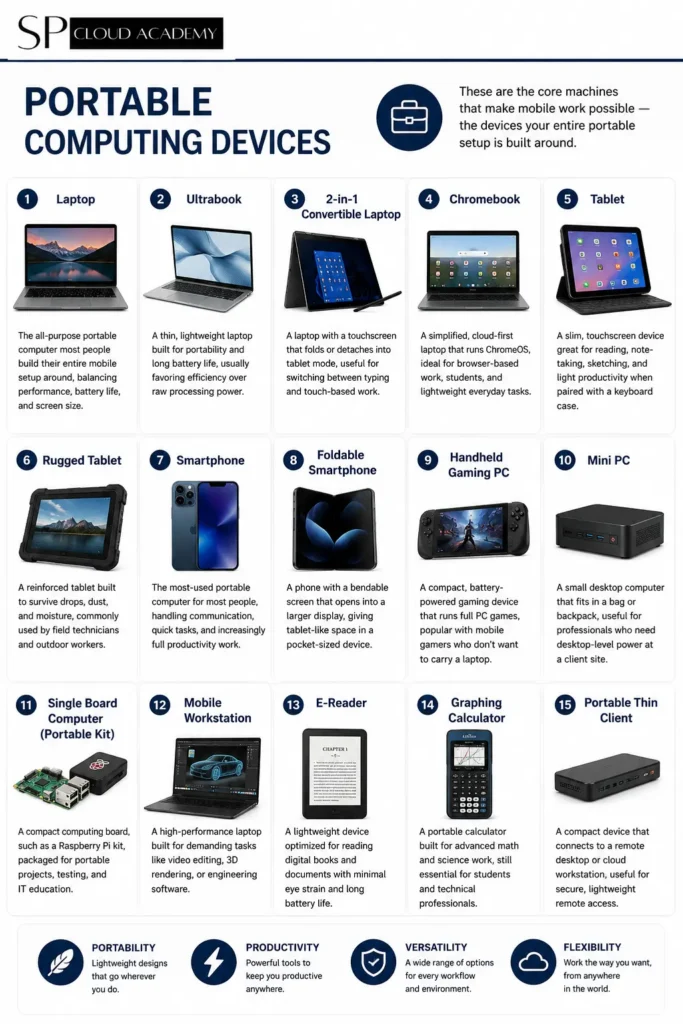
These are the core machines that make mobile work possible — the devices your entire portable setup is built around.
Laptop — the all-purpose portable computer most people build their entire mobile setup around, balancing performance, battery life, and screen size.
Ultrabook — a thin, lightweight laptop built for portability and long battery life, usually favoring efficiency over raw processing power.
2-in-1 Convertible Laptop — a laptop with a touchscreen that folds or detaches into tablet mode, useful for switching between typing and touch-based work.
Chromebook — a simplified, cloud-first laptop that runs ChromeOS, ideal for browser-based work, students, and lightweight everyday tasks.
Tablet — a slim, touchscreen device great for reading, note-taking, sketching, and light productivity when paired with a keyboard case.
Rugged Tablet — a reinforced tablet built to survive drops, dust, and moisture, commonly used by field technicians and outdoor workers.
Smartphone — the most-used portable computer for most people, handling communication, quick tasks, and increasingly full productivity work.
Foldable Smartphone — a phone with a bendable screen that opens into a larger display, giving tablet-like space in a pocket-sized device.
Handheld Gaming PC — a compact, battery-powered gaming device that runs full PC games, popular with mobile gamers who don’t want to carry a laptop.
Mini PC — a small desktop computer that fits in a bag or backpack, useful for professionals who need desktop-level power at a client site.
Single Board Computer (Portable Kit) — a compact computing board, such as a Raspberry Pi kit, packaged for portable projects, testing, and IT education.
Mobile Workstation — a high-performance laptop built for demanding tasks like video editing, 3D rendering, or engineering software.
E-Reader — a lightweight device optimized for reading digital books and documents with minimal eye strain and long battery life.
Graphing Calculator — a portable calculator built for advanced math and science work, still essential for students and technical professionals.
Portable Thin Client — a compact device that connects to a remote desktop or cloud workstation, useful for secure, lightweight remote access.
Portable Storage Devices
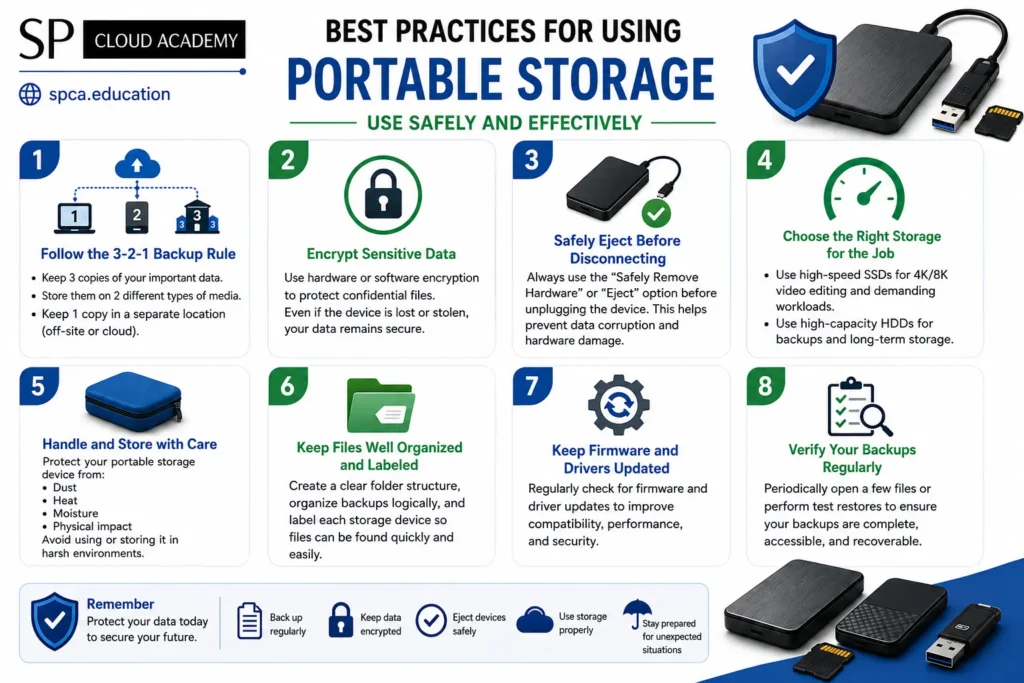
Even in a cloud-first world, having fast, physical storage on hand still matters for backups, large files, and offline work.
External Hard Disk Drive (HDD) — an affordable, high-capacity drive best suited for bulk backups and archiving large amounts of data.
External Solid State Drive (SSD) — a fast, shock-resistant drive ideal for transferring large files quickly and working directly off external storage.
USB Flash Drive — a small, pocket-friendly drive for quick file transfers, bootable installers, and everyday portable storage.
Memory Card (SD, microSD) — a compact storage card used in cameras, tablets, and some laptops to expand storage on the go.
OTG Flash Drive — a flash drive with both USB and USB-C (or micro-USB) connectors, designed for transferring files directly to and from smartphones.
Portable NAS (Network Attached Storage) — a compact, Wi-Fi-connected storage device that lets you back up and share files across multiple devices without relying on the cloud.
Portable Optical Drive (DVD/Blu-ray) — an external disc drive for laptops without a built-in optical drive, still useful for legacy media and software installs.
Power & Charging Accessories
Nothing in a mobile kit works without reliable power — these accessories keep every other device running.
Power Bank — a rechargeable battery pack for topping up phones, earbuds, and small devices while away from an outlet.
Laptop Power Bank — a higher-capacity power bank built to deliver enough wattage to recharge a laptop, not just small gadgets.
Laptop Charger — the dedicated charging adapter for your laptop, essential to keep as a spare for travel or a second workspace.
USB-C Charger — a compact charger using the increasingly universal USB-C standard for phones, tablets, and many modern laptops.
Multi-Port USB Charger — a single charging block with several ports, letting you charge multiple devices from one wall outlet.
Wireless Charger — a charging pad that powers compatible phones and earbuds without a cable, useful for quick desk or nightstand charging.
Car Charger — a compact charger that plugs into a vehicle’s power outlet, keeping devices charged during commutes and road trips.
Charging Dock — a stand that holds and charges a device simultaneously, keeping a desk or nightstand organized.
Charging Station — a multi-device charging hub that organizes and powers several gadgets at once from a single station.
Extension Power Strip — a portable strip with extra outlets, useful in shared workspaces, hotel rooms, or conference venues with limited plugs.
Universal Travel Adapter — an adapter that fits different regional plug types, essential for professionals traveling internationally.
Replacement Battery Pack — a spare or replacement battery for a laptop or device, extending its usable life once the original battery degrades.
Input Devices

The right input accessories turn a laptop or tablet screen into a genuinely comfortable, full-featured workstation.
Wireless Keyboard — a cable-free keyboard that pairs with a laptop, tablet, or phone for more comfortable typing at a desk or on the road.
Foldable Keyboard — a compact keyboard that folds down to pocket size, popular for typing comfortably on a tablet or phone while traveling.
Mechanical Keyboard — a keyboard with individual mechanical switches, favored for tactile feedback and typing speed during long work sessions.
Wireless Mouse — a cordless mouse that offers more precise control than a trackpad, ideal for extended desk work.
Bluetooth Mouse — a mouse that connects via Bluetooth without needing a USB dongle, useful when port availability is limited.
Trackball Mouse — an ergonomic mouse alternative that reduces wrist movement, often preferred for comfort during long sessions.
Touchpad — a standalone trackpad for more precise cursor control than a built-in laptop touchpad, especially useful with external monitors.
Stylus Pen — a pen-like input tool for tablets, useful for sketching, annotating documents, and precise touchscreen navigation.
Digital Pen — a pressure-sensitive pen used for note-taking or drawing apps, often supporting handwriting-to-text conversion.
Graphics Tablet — a flat input device for digital drawing and design work, connecting to a laptop for precise pen input.
Presentation Clicker — a small wireless remote for advancing slides during presentations without staying tied to the laptop.
Audio Devices
From calls to focus work, portable audio gear is one of the most-used categories in any mobile IT kit.
Wireless Earbuds — compact, cable-free earphones for calls, music, and focus work, popular for their convenience and portability.
Wired Earphones — a dependable, battery-free audio option that avoids charging altogether and works with any device that has an audio jack or adapter.
Bluetooth Headphones — over-ear or on-ear wireless headphones offering longer battery life and richer sound than most earbuds.
Noise-Cancelling Headphones — headphones that actively block ambient sound, ideal for focused work in noisy offices, flights, or public spaces.
Gaming Headset — a headset with a built-in microphone tuned for gaming, also useful for clear voice calls and video meetings.
USB Headset — a plug-and-play headset connecting directly via USB, useful for reliable audio quality during calls and meetings.
Portable Bluetooth Speaker — a compact speaker for sharing audio or music during casual meetings, presentations, or downtime.
USB Speaker — a simple wired speaker that plugs directly into a laptop for clearer sound than built-in speakers.
Lavalier Microphone — a small clip-on microphone used for clear audio during interviews, presentations, or video content creation.
USB Microphone — a plug-and-play microphone offering better voice clarity than a built-in laptop mic, useful for calls and recordings.
Video & Communication Devices
As remote meetings and content creation grow, these accessories help you look and sound professional from anywhere.
Webcam — an external camera offering sharper video quality than most built-in laptop cameras, useful for professional video calls.
Portable Webcam — a compact, clip-on camera designed to travel easily while still improving on built-in laptop video quality.
Conference Speakerphone — a compact microphone-and-speaker device that improves audio clarity for group video calls in shared rooms.
Ring Light — a circular light that evenly illuminates your face on video calls, reducing shadows and improving video quality.
Portable LED Video Light — a small, adjustable light panel for improving video quality while filming or presenting on location.
Smartphone Gimbal — a stabilizing mount that keeps smartphone video smooth and steady while walking or filming in motion.
Portable Projector — a compact projector for presentations, training sessions, or media playback without needing a large screen.
Document Camera — a camera positioned to capture physical documents or objects in real time, useful for demonstrations and remote teaching.
Networking Devices
Reliable connectivity on the road is essential for IT professionals, and these devices keep you online wherever you work.

Portable Wi-Fi Hotspot — a small device that creates a private Wi-Fi network using a mobile data connection, useful when public Wi-Fi isn’t reliable.
USB Wi-Fi Adapter — a plug-in adapter that adds or upgrades wireless connectivity on a laptop or desktop.
USB Ethernet Adapter — an adapter that adds a wired network port to laptops that no longer include one built in.
Travel Router — a compact router that creates a secure private network from a single hotel or public internet connection.
Mobile Router — a router designed for mobile use, often combining Wi-Fi hotspot functionality with more advanced network controls.
4G LTE Modem — a modem that connects to mobile networks to provide internet access in areas without fixed broadband.
5G Mobile Hotspot — a next-generation hotspot device offering faster mobile internet speeds for bandwidth-heavy remote work.
USB Bluetooth Adapter — a small adapter that adds Bluetooth connectivity to devices that don’t include it natively.
Network Cable Tester — a diagnostic tool used to verify that Ethernet cables and connections are working correctly.
Connectivity Accessories
As laptops get thinner and ports get scarcer, hubs, docks, and adapters have become essential rather than optional.
USB Hub — a simple accessory that expands a single USB port into several, useful for connecting multiple peripherals at once.
USB-C Hub — a compact multi-port adapter that adds HDMI, USB-A, card readers, and more to a single USB-C laptop port.
Docking Station — a larger hub that turns a laptop into a full desktop setup, powering multiple monitors and peripherals through one cable.
Thunderbolt Dock — a high-speed docking solution using the Thunderbolt standard, ideal for driving multiple 4K displays and fast storage.
HDMI Adapter — an adapter that connects a laptop to an HDMI display when the laptop lacks a native HDMI port.
DisplayPort Adapter — an adapter enabling connection to monitors using the DisplayPort standard, common in professional monitor setups.
USB-C to HDMI Adapter — a single-cable adapter that outputs video from a USB-C laptop directly to an HDMI display.
USB OTG Adapter — a small adapter that lets a smartphone or tablet connect directly to USB accessories like flash drives or keyboards.
Ethernet Cable — a wired networking cable offering a faster, more stable connection than Wi-Fi where available.
HDMI Cable — a standard video cable for connecting laptops, media players, or projectors to a display.
USB Cable — a basic charging and data-transfer cable, worth carrying spares of in multiple lengths and connector types.
Thunderbolt Cable — a high-speed cable supporting fast data transfer and video output, used with Thunderbolt docks and displays.
Security Devices
Working outside a controlled office increases exposure to theft and data loss — these accessories close that gap.
USB Fingerprint Reader — an external biometric reader that adds fingerprint login to laptops that don’t include one built in.
Hardware Security Key — a physical authentication device (FIDO2/U2F) that significantly strengthens account security beyond passwords alone.
Laptop Privacy Screen — a filter that narrows the viewing angle of a screen, preventing shoulder-surfing in public spaces.
Webcam Privacy Cover — a small sliding cover that physically blocks a webcam lens when it’s not in use.
Laptop Lock (Kensington Lock) — a cable lock that physically secures a laptop to a desk in shared or public workspaces.
RFID Blocking Wallet — a wallet or sleeve that blocks unauthorized wireless scanning of RFID-enabled cards.
GPS Tracker — a small tracking device that helps locate a bag, laptop, or piece of equipment if it’s lost or stolen.
Printing & Scanning

Compact printers and scanners let field teams and traveling professionals handle paperwork without a full office setup.
Portable Printer — a compact, battery-powered printer for producing documents while away from a traditional office printer.
Mobile Photo Printer — a small printer designed specifically for printing photos directly from a smartphone.
Portable Label Printer — a compact printer for producing labels on the go, useful for inventory, shipping, or organizing equipment.
Portable Scanner — a handheld or compact scanner for digitizing documents without needing a full flatbed scanner.
Barcode Scanner — a handheld scanner used to quickly read barcodes for inventory, asset tracking, or point-of-sale tasks.
Receipt Printer — a compact printer for producing quick receipts, commonly used in mobile point-of-sale setups.
Maintenance & Cleaning
Simple, low-cost tools that extend the life of every device in your kit and keep your workspace dust-free.
Cleaning Kit — an all-in-one kit with the basic tools needed to keep screens, keyboards, and ports free of dust and grime.
Screen Cleaning Spray — a safe cleaning solution formulated specifically for laptop and monitor screens without damaging coatings.
Microfiber Cloth — a soft, lint-free cloth for wiping down screens and device surfaces without scratching them.
Air Blower — a manual or battery-powered blower for clearing dust from keyboards, vents, and tight spaces.
Compressed Air Duster — a canned air product for blasting dust out of laptop vents, fans, and keyboard crevices.
Keyboard Cleaning Brush — a small brush designed to reach between keys and clear out crumbs and dust.
Cable Organizer — a simple accessory for bundling and managing cables so a bag or desk stays tangle-free.
Cable Ties — reusable or single-use ties for keeping cords bundled and organized during travel or storage.
Protective Accessories
Cases, sleeves, and bags protect your investment against the daily wear and tear of travel and commuting.
Laptop Backpack — a padded backpack designed to protect a laptop and accessories during daily commuting or travel.
Laptop Sleeve — a slim, protective case that shields a laptop from scratches and minor bumps inside a bag.
Tablet Case — a protective cover for a tablet, often doubling as a stand for typing or media viewing.
Smartphone Case — a protective shell that guards a phone against drops, scratches, and everyday wear.
Screen Protector — a thin film or glass layer that shields a device screen from scratches and minor impacts.
Waterproof Carrying Case — a rugged, sealed case that protects sensitive electronics from rain, spills, and dust.
Hard Shell Laptop Case — a rigid protective case offering stronger impact protection than a standard sleeve.
Gadget Organizer Bag — a compartmentalized pouch for keeping small accessories like cables and adapters organized inside a larger bag.
Portable Productivity Tools
These accessories add extra screen space, comfort, and functionality to an otherwise minimal mobile setup.
Portable Monitor — a lightweight, USB-C powered second screen that adds a real dual-monitor setup to any laptop on the move.
USB Numeric Keypad — a compact add-on keypad for faster number entry on laptops that lack a built-in numpad.
Smart Notebook — a reusable paper notebook that digitizes handwritten notes directly to cloud storage via an app.
Digital Voice Recorder — a dedicated device for recording meetings, interviews, or notes with better audio quality than a phone.
Portable Whiteboard — a small, foldable whiteboard for sketching ideas or diagrams during meetings away from the office.
Electronic Notepad — a digital writing tablet that captures notes electronically, often with easy erase-and-reuse functionality.
Stream Deck — a customizable button panel that triggers shortcuts, useful for streamers, presenters, and power users.
USB Desk Fan — a small fan that plugs into a laptop or power bank for personal cooling in warm workspaces.
Laptop Cooling Pad — a stand with built-in fans that helps prevent a laptop from overheating during demanding tasks.
Smart Wearables
Wearables increasingly double as productivity and communication tools, extending your devices onto your body.
Smartwatch — a wrist-worn device for notifications, quick replies, and health tracking that keeps you connected without checking your phone.
Fitness Tracker — a lightweight wearable focused on activity, sleep, and health monitoring throughout the day.
Smart Glasses — eyewear with built-in technology such as audio, notifications, or camera features for hands-free interaction.
AR Glasses — augmented reality glasses that overlay digital information onto the real world, increasingly used for productivity and navigation.
VR Headset — a headset for immersive virtual environments, used for training, design review, and virtual collaboration.
Smart Ring — a compact wearable that tracks health metrics like sleep and activity without the bulk of a smartwatch.
Portable IT Tools
For IT professionals doing hands-on repair or network setup work in the field, these tools are non-negotiable.
Multi-Bit Precision Screwdriver Set — a compact toolkit with interchangeable bits for opening and repairing laptops, phones, and other devices.
Anti-Static Wrist Strap — a grounding strap worn during hardware repair to prevent static electricity from damaging sensitive components.
Network Crimping Tool — a hand tool used to attach connectors to Ethernet cables when building or repairing network wiring.
Cable Tester — a diagnostic device that checks network and other cables for breaks or wiring faults.
USB Voltage Tester — a small inline meter that checks the voltage and current output of a USB port or charger.
Digital Multimeter — a versatile tool for measuring voltage, current, and resistance during hardware troubleshooting.
Flashlight — a compact light source useful for inspecting hardware, cable runs, and equipment in dim spaces.
Tool Kit for Electronics Repair — a broader kit combining screwdrivers, spudgers, and prying tools for general device repair work.
Professional Portable Accessories
Advanced, purpose-built accessories for power users, engineers, and IT specialists who need extra capability on the move.
External GPU (eGPU) — an external enclosure that connects a dedicated graphics card to a laptop for desktop-level graphics performance.
Portable UPS — a compact battery backup that keeps critical devices running briefly during a power outage.
Portable Solar Charger — a foldable solar panel that charges devices using sunlight, useful for remote or off-grid work.
USB Data Blocker — a small adapter that allows charging from public USB ports while blocking data transfer, protecting against juice-jacking.
Hardware Encryption Drive — a storage drive with built-in encryption, protecting sensitive data even if the device is lost or stolen.
Portable KVM Switch — a compact switch that lets one keyboard, monitor, and mouse control multiple computers, useful for technicians managing several systems.
NFC Reader — a short-range wireless reader used for contactless payments, access badges, and quick data exchange.
Smart Card Reader — a reader for smart cards used in secure authentication, common in government, healthcare, and enterprise IT environments.
Building Your Own Portable IT Kit
You don’t need every device described above — most people only need a handful from each category. Start with your core computing device and power accessories, add connectivity and storage next, and round things out with security and comfort accessories once your daily workflow is clear. Use this guide as a reference to build against, not a shopping requirement.
See Also
-
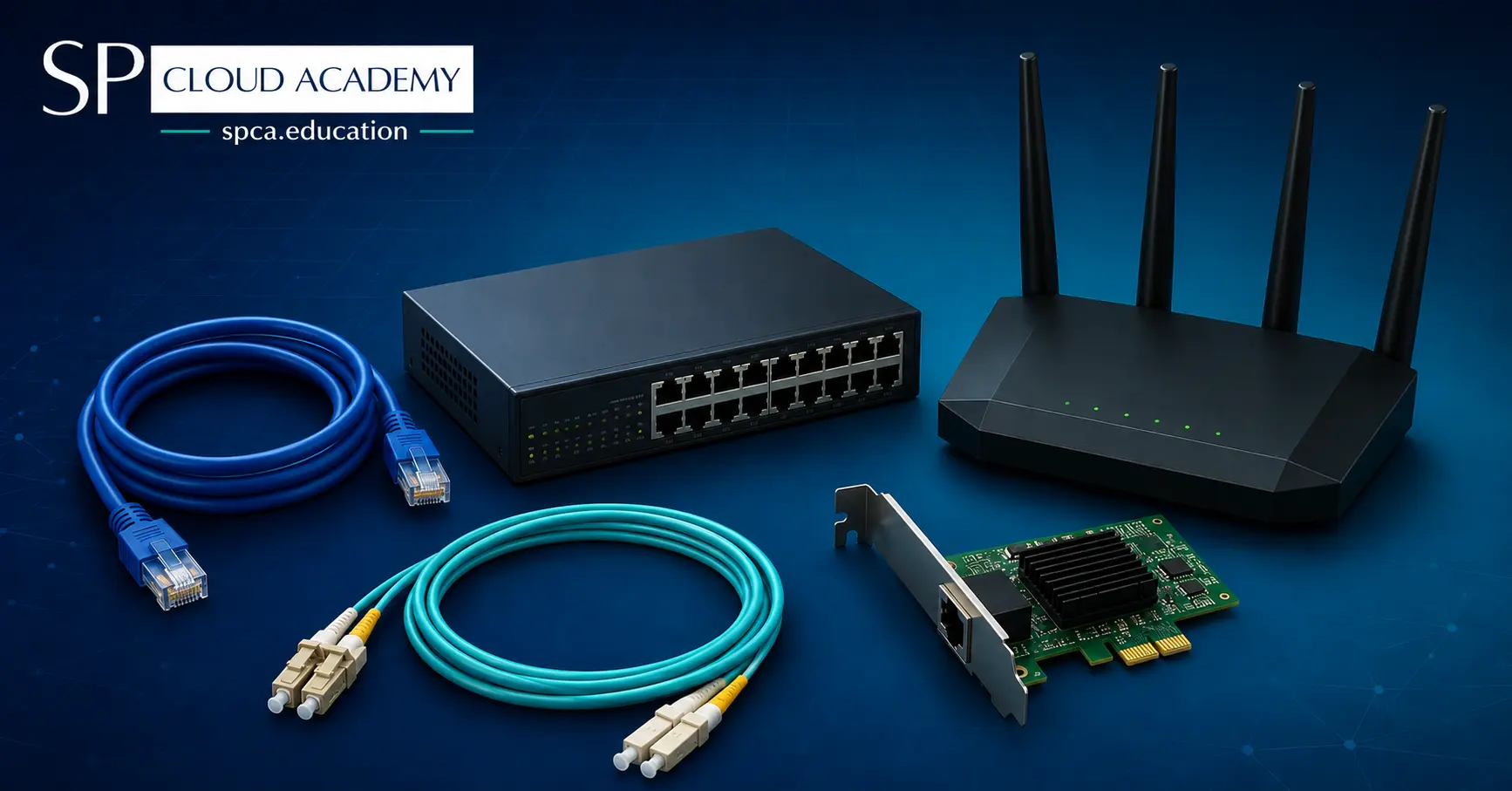
Computer Networking Hardware: The Complete 2026 Guide to Every Device, Cable, and Connector
-

Portable Computing & IT Devices and Accessories: The Complete 2026 Guide
-
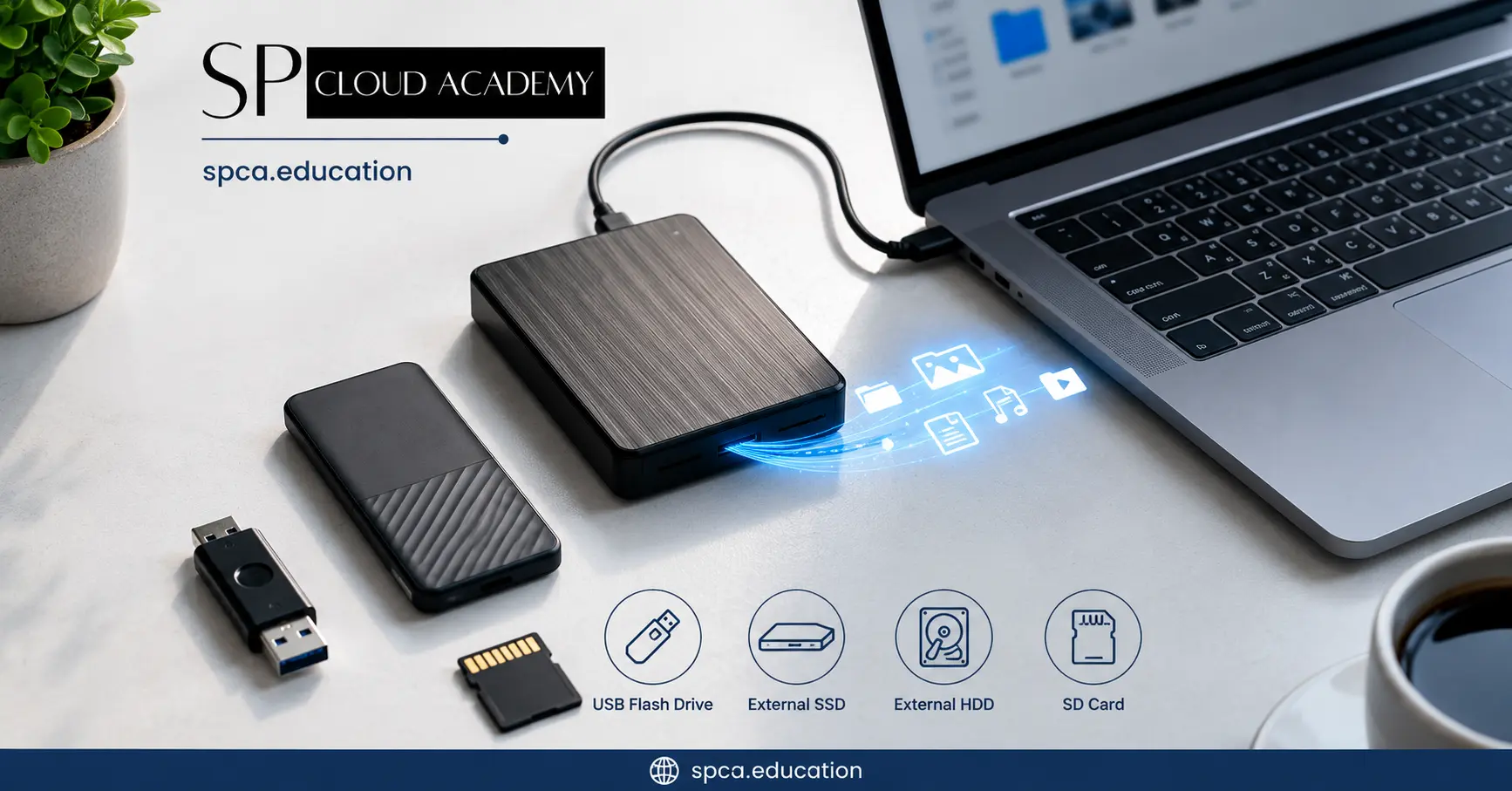
Portable Storage Explained:Types, Benefits, and Best Practices
-

From Coding to Virtualization: Build the Ultimate High-Performance PC for Professionals
-

Network Attached Storage Demystified: How to Set It Up Like a Pro
-

What is Network Attached Storage (NAS)? The Beginner’s Guide You Need
-

From Chaos to Control: How MikroTik Bandwidth Manager Transforms Network Management
-

The Ultimate Buyer’s Guide to the Best SOHO Routers in 2025
-
Intel vs. AMD: The Ultimate Desktop & Server Processor Showdown of 2025